Parts 1&2: Bring A Character To Life
GF5: Animating 3D Characters
Skeletons, skinning, motion, and a final human-avatar scene.
Skeletons, skinning, motion, and a final human-avatar scene.

| Week | Mode | Focus |
|---|---|---|
| Week 1 | Individual | Implement and debug forward kinematics on a simple block character. |
| Week 2 | Individual | Implement and compare one-hot skinning and linear blend skinning on SMPL. |
| Week 3 | Pairs | Explore human motion clips and reconstruct group-member characters. |
| Week 4 | Pairs | Refine the group animation scene and export the final video. |
| Coursework | Due date | Marks | Mode |
|---|---|---|---|
| Interim report | Friday 29 May 2026 (2pm) | 20 | Individual |
| Interim animation results | Friday 29 May 2026 (2pm) | 5 | Individual |
| Final presentation | Tuesday 9 June 2026 (11-1, LT6) | 10 | Group |
| Final report | Friday 12 June 2026 (4pm) | 30 | 50% individual, 50% group |
| Final animation results | Friday 12 June 2026 (4pm) | 15 | Group |
| Week | Tue AM11-13 | Fri AM9-11 | Fri PMsee cells / due |
|---|---|---|---|
| Intro15 May | Intro session9-11, LR11 | Help14-16, BE454 | |
| Week 118-22 May | Help11-13, BE454 | Help9-11, BE454 | Mandatory14-16, LR11 |
| Week 225-29 May | Help11-13, BE454 | Help9-10, BE454 | Mandatory14-16, LR11Interim due2pm |
| Week 31-5 Jun | Help11-13, BE454 | Help9-11, BE454 | Mandatory15-16, LR11 |
| Week 48-12 Jun | Showcase11-13, LT6 | Final report due4pm; animation due |
Booking is no longer needed for the BE454 help sessions. You can come to the office during the Help times shown in the calendar.
Build a small character-animation pipeline, then use it to create an animated human-avatar scene.
Build a small character-animation pipeline, then use it to create an animated human-avatar scene.
This project studies a simple version of the character-animation pipeline:
The emphasis is on understanding the mechanics of animation, not on learning a large authoring package.
docs/: handouts, report requirements, and setup instructionsviewer/: interactive viewer and scene toolsviewer/student_submission/: files students editassets/: block characters, motions, and SMPL assetsslides/: browser presentation decks and local notes supportThe early parts use a blocky articulated character rather than a realistic human mesh.
That is deliberate. A block character makes the hierarchy easy to see:
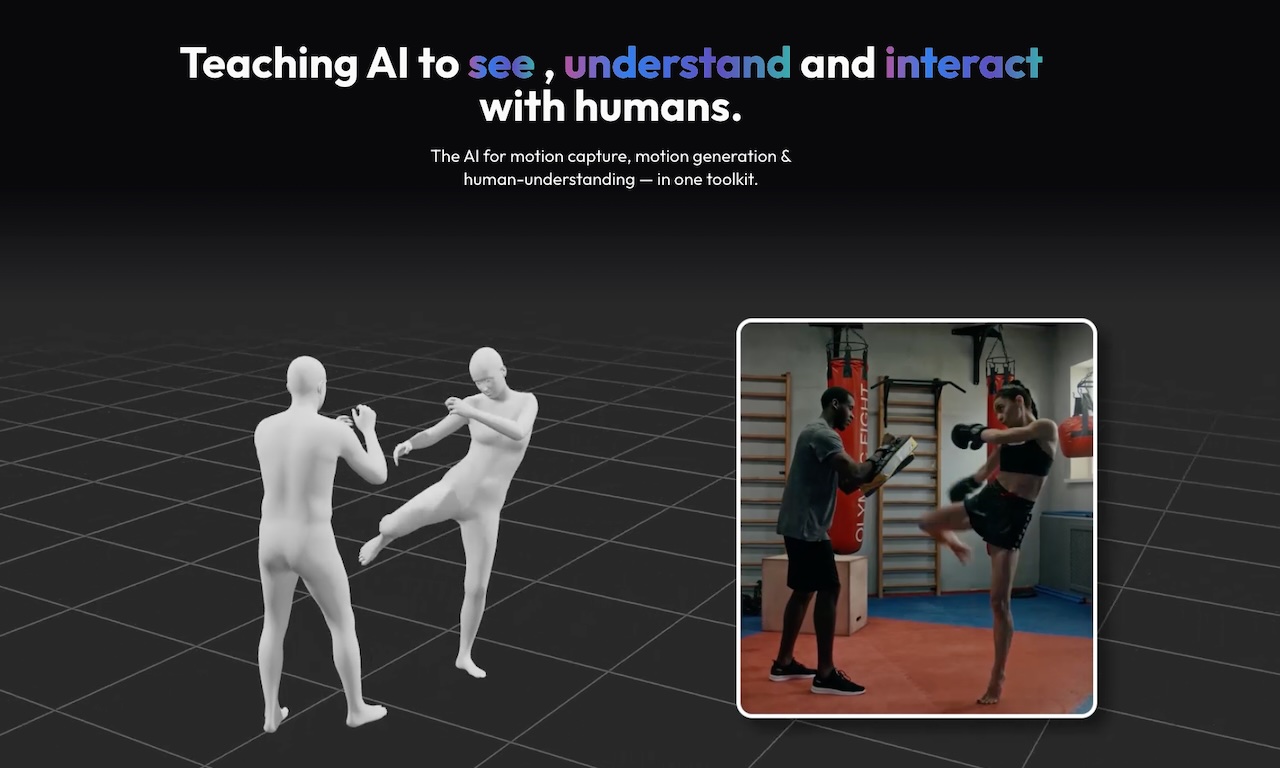
Once the skeleton logic is clear, we switch to SMPL and study mesh deformation.
Output: one custom motion clip with at least 10 keyframes.
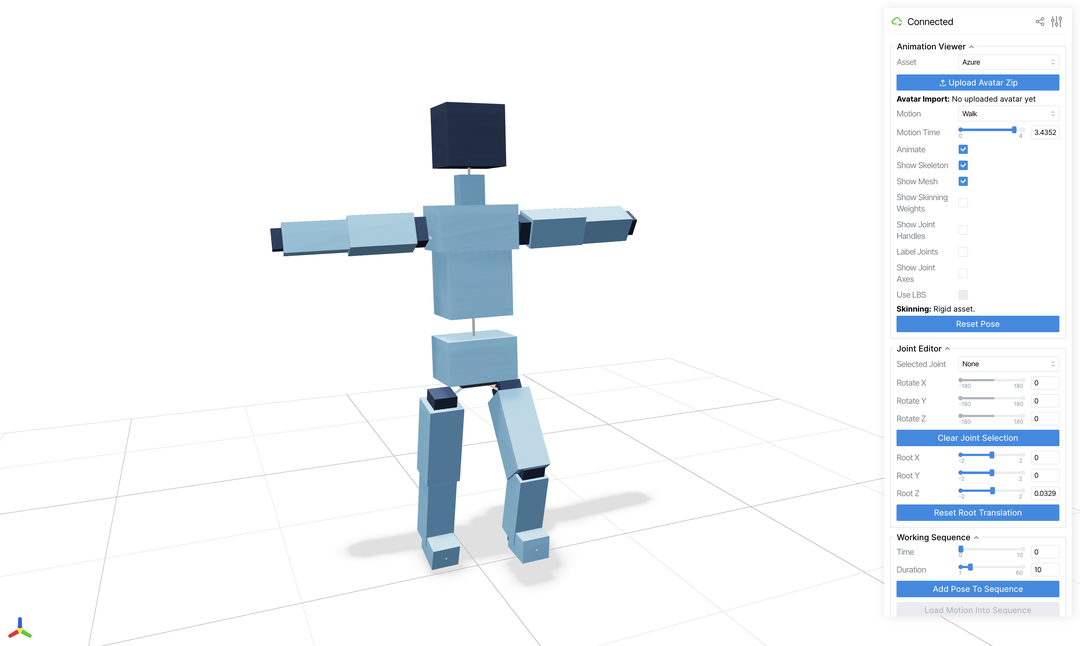
Motion: choose a built-in or custom motion clip.Animate: play or pause the selected motion.Show Skeleton, Show Mesh, Show Skinning Weights: toggle visual layers.Selected Joint and Joint Editor: inspect and edit one joint.Timeline: capture keyframes for a custom sequence.Export Motion Video: render evidence from the current browser camera view.| Week | Tue AM11-13 | Fri AM9-11 | Fri PMsee cells / due |
|---|---|---|---|
| Intro15 May | Intro session9-11, LR11 | Help14-16, BE454 | |
| Week 118-22 May | Help11-13, BE454 | Help9-11, BE454 | Mandatory14-16, LR11 |
| Week 225-29 May | Help11-13, BE454 | Help9-10, BE454 | Mandatory14-16, LR11Interim due2pm |
| Week 31-5 Jun | Help11-13, BE454 | Help9-11, BE454 | Mandatory15-16, LR11 |
| Week 48-12 Jun | Showcase11-13, LT6 | Final report due4pm; animation due |
Updated: Fri 29 May help is 9-10; interim report and results are due 2pm; Fri 5 Jun mandatory session is 15-16; Tue 9 Jun showcase is in LT6; Fri 12 Jun has no help or mandatory session.
Booking is no longer needed for the BE454 help sessions. You can come to the office during the Help times shown in the calendar.
conda can be used in place of mamba#1Same motion, different character surface.
model_data.rest_vertices: mesh vertices in the default pose, shape (V, 3)model_data.rest_joints: joint centres in the default pose, shape (J, 3)model_data.ground_translation: shift that puts the rest body on the floorworld_rotations: posed joint rotations from FK, shape (J, 3, 3)world_positions: posed joint centres from FK, shape (J, 3)model_data.skinning_weights: vertex-to-joint weights, shape (V, J)Local coordinates are measured in a moving parent frame.
joint.translation: offset from parent joint to child jointlocal_rotations[j]: how joint j rotates relative to its parentWorld coordinates are measured in the fixed viewer scene.
world_positions[j]: final scene position of joint jworld_rotations[j]: final scene orientation of joint jFor a child joint j with parent p:
world_rotations[j] = world_rotations[p] @ local_rotations[j]
world_positions[j] = world_positions[p]
+ world_rotations[p] @ joint.translationLocal rotations are the controls; world transforms are the result.
The rest pose is the character before animation.
rest_vertices[i]: where mesh vertex i starts in rest poserest_joints[j]: where joint j starts in rest poseground_translation so both are in viewer world coordinatesrest_vertices[i] - rest_joints[j]: vertex i as seen from joint jForward kinematics has already accumulated the hierarchy.
world_positions[j]: where joint j is in the current poseworld_rotations[j]: how joint j is oriented in the current poseEach joint gives vertex i one possible posed location.
One-hot skinning is the simplest baseline:
10This creates rigid piecewise motion. It is easy to implement and easy to interpret, which is why it is a good first baseline.
In LBS, a posed vertex is a weighted sum of the transforms from several joints:
v'_i = sum_j w_ij T_j v_iYou do not need to derive the full production form of LBS in this part, but you do need to understand the idea: vertices near joints are shared across influences instead of being assigned to a single bone.
Work in groups of two to create a coherent 30-second (or longer) animated human-avatar scene.
.scene.json filesAI Use Statement.