Motivation
Animated characters look magical, but the core ideas are concrete:
- a surface that looks like a person or creature
- an internal skeleton that gives it structure
- motion data that says how the body changes over time
- rendering choices that make the result readable
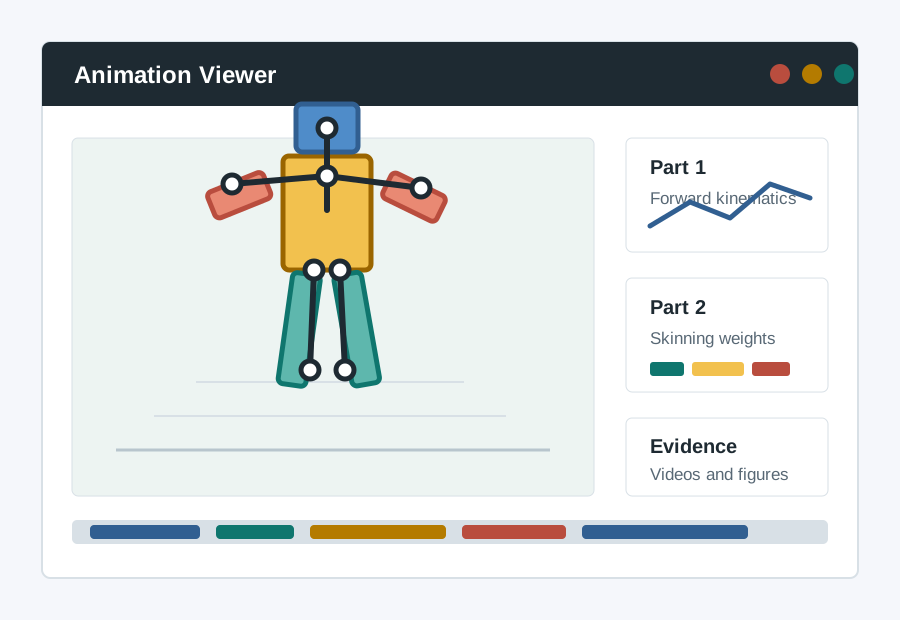
The project studies those pieces directly, starting with a block character where the hierarchy is visible before moving toward human-avatar scenes.
Immersive Virtual Characters
AI Rigging & Neural Layer
What This Project Is About
Build a small character-animation pipeline, then use it to create an animated human-avatar scene.
This project studies a simple version of the character-animation pipeline:
- represent a character as a skeleton and a mesh
- pose the skeleton with forward kinematics
- attach a surface to that skeleton with skinning weights
- turn a sequence of poses into a short animation
The emphasis is on understanding the mechanics of animation, not on learning a large authoring package.
Assumed Background
You are expected to be comfortable with:
- basic Python
- vectors and matrices
- reading and modifying small codebases
You are not expected to have prior experience with:
- 3D graphics
- rigging
- animation software
- SMPL or human-body models
You will use practical tools such as a Python environment, terminal commands, and Git, but you can learn those on demand. Start with Setup for the course environment, and use the Git starter if cloning, committing, pulling, or pushing is new to you.
Four-Week Shape
| Week | Mode | Focus |
|---|---|---|
| Week 1 | Individual | Implement and debug forward kinematics on a simple block character. |
| Week 2 | Individual | Implement and compare one-hot skinning and linear blend skinning on SMPL. |
| Week 3 | Pairs | Explore human motion clips and reconstruct group-member characters. |
| Week 4 | Pairs | Refine the group animation scene and export the final video. |
What You Will Build
The project has three technical parts and two report checkpoints. Parts 1 and 2 are individual coding tasks; Part 3 is a paired group animation project that uses the same animation ideas in a more open production setting.
Part 1
Focus:
- joint hierarchies
- local versus world transforms
- forward kinematics
- key poses and timeline-based motion authoring
See Part 1 for the exact coding tasks, required outputs, and the part-1 material that must be prepared for the interim report.
Part 2
Focus:
- rest pose
- skinning weights
- one-hot skinning
- comparison with linear blend skinning (LBS)
- motion reuse on SMPL
See Part 2 for the exact coding tasks and implementation requirements.
Part 3
Focus:
- human motion clips and reconstructed group-member characters
- multi-character scene planning and motion composition
- final video export and group report evidence
See Part 3 for the group brief, final deliverables, and technical backbone. The Scene Editor Manual gives the practical guide to the Part 3 composition tool.
Reports
There are two report checkpoints in the project.
- Interim Report: due after Part 2; individual report, code, videos, and comparison figures.
- Final Report: due after Part 3; each student submits a PDF with a shared group-work section and their own individual contribution section, plus the group animation result files.
Each report page gives the exact structure, evidence, and submission requirements.
Calendar
| Week | Tue AM11-13 | Fri AM9-11 | Fri PMsee cells / due |
|---|---|---|---|
| Intro15 May | Intro session9-11, LR11 | Help14-16, BE454 | |
| Week 118-22 May | Help11-13, BE454 | Help9-11, BE454 | Mandatory14-16, LR11 |
| Week 225-29 May | Help11-13, BE454 | Help9-10, BE454 | Mandatory14-16, LR11Interim due2pm |
| Week 31-5 Jun | Help11-13, BE454 | Help9-11, BE454 | Mandatory15-16, LR11 |
| Week 48-12 Jun | Showcase11-13, LT6 | Final report due4pm; animation due |
Booking is no longer needed for the BE454 help sessions. You can come to the office during the Help times shown in the calendar.
Assessment
| Coursework | Due date | Marks | Mode |
|---|---|---|---|
| Interim report | Friday 29 May 2026 (2pm) | 20 | Individual |
| Interim animation results | Friday 29 May 2026 (2pm) | 5 | Individual |
| Final presentation | Tuesday 9 June 2026 (11-1, LT6) | 10 | Group |
| Final report | Friday 12 June 2026 (4pm) | 30 | 50% individual, 50% group |
| Final animation results | Friday 12 June 2026 (4pm) | 15 | Group |
See Part 3 Showcase for the format and timing. Selected finished examples are available in the Class of 2026 gallery.
Slides
Slides are generated from Markdown sources in slides/ and appear under the website's Slides dropdown.
For example, open the Parts 1&2 slides for the first two sessions, then use the Part 3 slides for the group project. The Notes panel works on the hosted page; notes are cached in the browser on that device.
To keep your own notes as a Markdown file in the project folder, run this from the repository root:
python3 slides/serve.pyThen open http://127.0.0.1:8095/parts12-slides.html. Your notes are saved per deck under slides/student_notes/, for example parts12_notes.md.
To rebuild the same HTML locally, run python3 docs/build_site.py, python3 slides/build_slides.py, and python3 slides/build_slides.py --source slides/part3.md --output site/part3-slides.html.
Use Of AI Tools
For Parts 1 and 2, do not use AI tools to generate your submitted code, derive the core math for you, or generate your results.
For Part 3, you may use external tools, AI tools, custom assets, and your own changes to the provided tools as part of the creative or production workflow. The focus is still to create a realistic, controllable 3D avatar rendering scene and to explain clearly how your group produced it.
Every report must include an AI Use Statement. In the interim report, state either No AI tools used, or describe any limited non-substantive use such as spelling checks or environment/setup help. For the final Part 3 report, state either No AI tools used, or describe which AI tools you used and what you used them for. The report must still accurately explain your workflow, evidence, results, and interpretation.
Main Files
The core teaching code lives in:
viewer/asset_viewer.pyviewer/motion_sequences.pyviewer/skeleton_profiles.pyviewer/smpl_support.py
The viewer is used throughout Parts 1 and 2 for:
- skeleton inspection
- pose editing
- timeline authoring
- skinning-weight visualisation
- video export
It also provides the starting point for Part 3 motion preview and evidence export.