Part 3: Group Character Animation Project
From mechanics to a finished scene
Use the FK and skinning pipeline to make a coherent 30-second (or longer) human-avatar animation.
Use the FK and skinning pipeline to make a coherent 30-second (or longer) human-avatar animation.
Work in groups of two to create a short animated scene featuring virtual human characters.
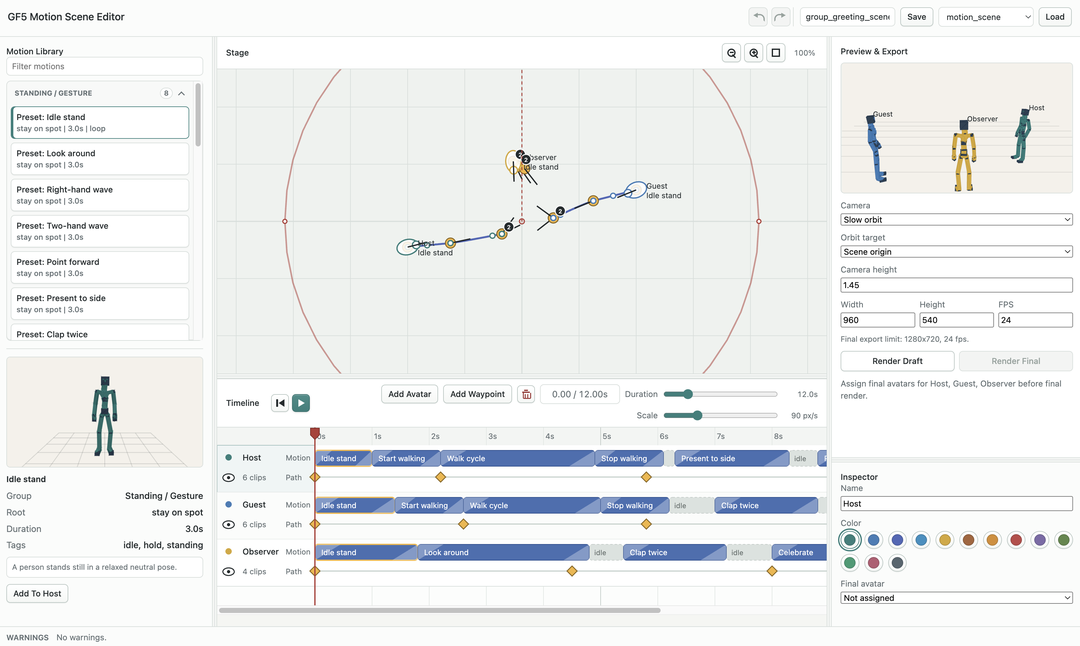
30 seconds longThe GF5 scene motion editor is the main Part 3 composition tool.
Reference: Scene Editor Manual
Path, facing, timing, and camera.scene.json draftsMotion Library: choose preset or custom clipsTimeline: arrange clips per character trackStage: edit root path and facingFinal avatar: assign proxy, SMPL, or extracted avatar packageExport: save draft evidenceSMPL-24 Proxy, then adjust timing, Path, and facing..scene.json file.Path controls the character root trajectory.
Path: where the body root travels in the scenePreset clips are grouped by intended use.
Standing / Gesture: mostly stay on one spotTravel Loops: repeated locomotion along a pathTravel Transitions: starts, stops, and side stepsTurns: changes in facing directionSpecial Actions: larger spot actions or original-travel beatsThe GF5 UP2You demo can reconstruct a custom virtual character for final rendering.
libraries/avatars/Final avatar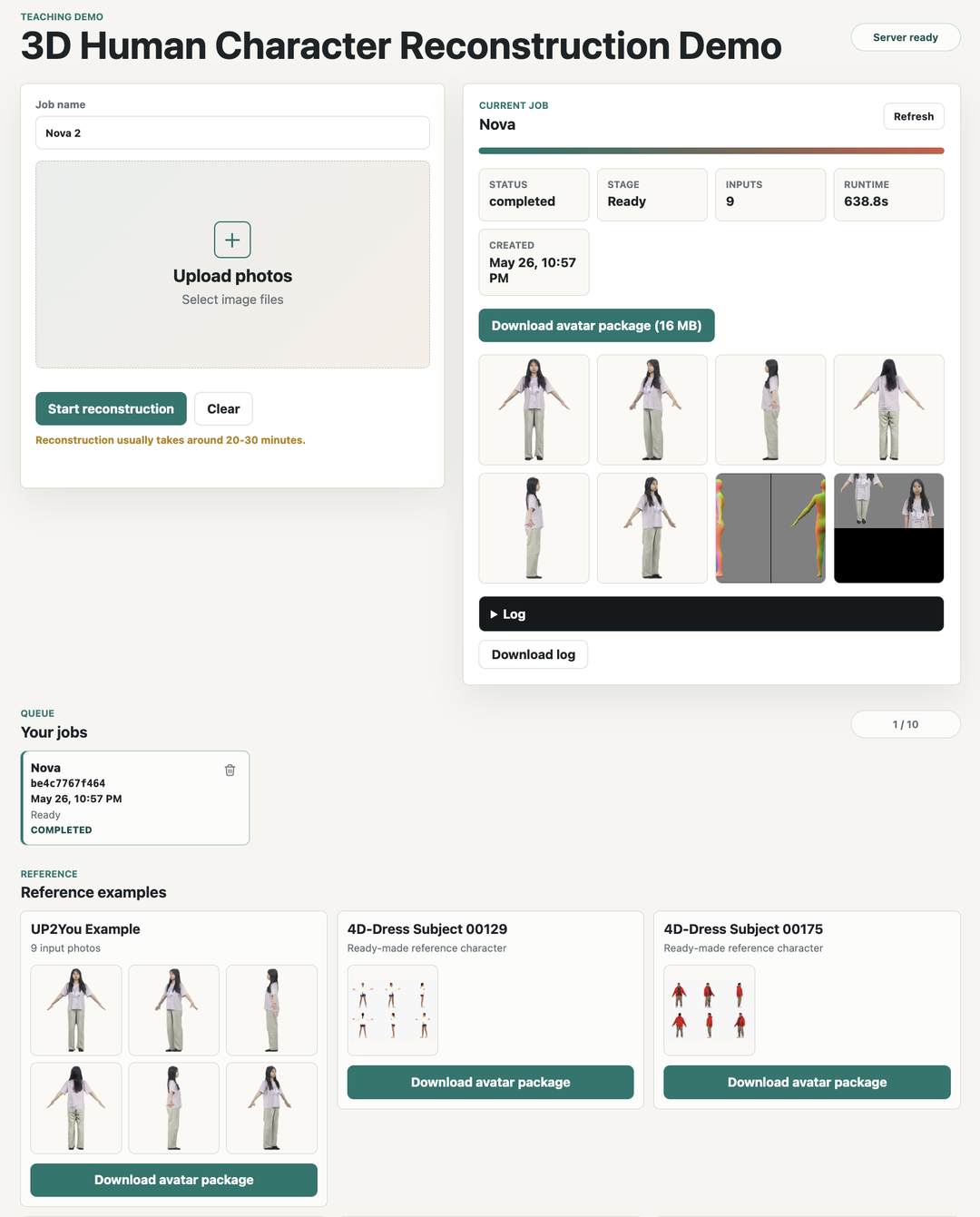
libraries/avatars/alex/outputs/animation_lowres.obj
libraries/avatars/alex/outputs/animation_lowres_skinning_weights.npz
libraries/avatars/alex/outputs/smplx_mesh.obj
Extract each downloaded ZIP into its own named folder under libraries/avatars/.
GF5 uses the same 24-joint body skeleton across Part 3.
Some reconstruction tools use SMPL-X internally.
SMPL-24 ProxyHY-Motion-1.0 can generate short candidate motions from text prompts.
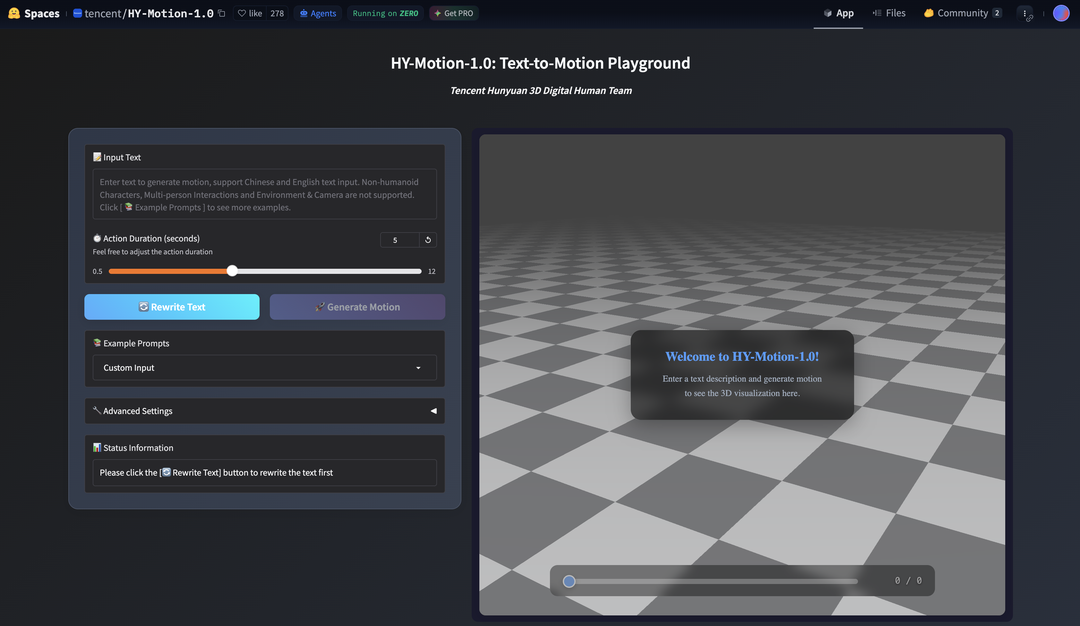
.fbx and .txt prompt togetherGood prompts describe one physical action.
A person walks forward and stops.A person turns left and waves.A person points forward with the right hand.A person performs a short dance step.A person stands still and raises both arms.Keep the .fbx animation and matching .txt prompt together.
wave_to_camera.fbx
wave_to_camera.txt
Use Import HY-Motion in the Motion Library panel and select both files.
The Scene Editor auto-finds motion clips in:
libraries/motions/custom/Imported clips are saved there. After import, refresh the Scene Editor page and load the clip from Custom:.
You could also hand craft motions in the Asset Viewer.
Asset Viewer motions are saved to the same custom motion folder.
After saving a motion, refresh the Scene Editor page and load it from Custom:.
Motion clips from Parts 1 and 2 work too; move them into this folder if they are somewhere else (recently changed from libraries/motions/saved/ to libraries/motions/custom/).
SMPL-24 Proxy.scene.json draftsBrief feedback on your interim reports has been uploaded to Moodle.
FK computes each joint world transform from its parent:
W[j] = W[parent[j]] @ L[j]
W to be ready firstwrist, elbow, shoulderTuesday 9 June 2026, 11am-1pm, LT6.
9 groups5 minutes presenting + 2 minutes Q&A per group10 marks, so keep it light| Order | Group | Order | Group |
|---|---|---|---|
1 |
Matthew & Encheng | 6 |
Elen & Sarah |
2 |
Madeleine & Kavita | 7 |
Yilia & Frank |
3 |
Rohan & Sam | 8 |
Tianze & Yunge |
4 |
Serene & Aaron | 9 |
Donna & Stan |
5 |
Zohaib & Sean |
Deadline: Friday 12 June 2026, 4pm.
8 pages max: up to 6 pages group work + up to 2 pages individualScene PlotMethodResults And EvidenceArtifacts, Limitations, And ReflectionAI Use StatementIndividual Contribution And InsightsAI Use Statement| Week | Tue AM11-13 | Fri AM9-11 | Fri PMsee cells / due |
|---|---|---|---|
| Intro15 May | Intro session9-11, LR11 | Help14-16, BE454 | |
| Week 118-22 May | Help11-13, BE454 | Help9-11, BE454 | Mandatory14-16, LR11 |
| Week 225-29 May | Help11-13, BE454 | Help9-10, BE454 | Mandatory14-16, LR11Interim due2pm |
| Week 31-5 Jun | Help11-13, BE454 | Help9-11, BE454 | Mandatory15-16, LR11 |
| Week 48-12 Jun | Showcase11-13, LT6 | Final report due4pm; animation due |
Updated: Fri 29 May help is 9-10; interim report and results are due 2pm; Fri 5 Jun mandatory session is 15-16; Tue 9 Jun showcase is in LT6; Fri 12 Jun has no help or mandatory session.
Booking is no longer needed for the BE454 help sessions. You can come to the office during the Help times shown in the calendar.